
STEP 1
Download the App
Install the application from the App Store or Google Play.

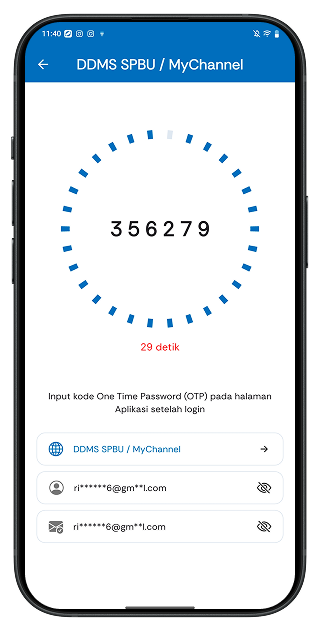
PatraNiaga Mobile Token is a mobile-based multi factor authentication (MFA) application developed to enhance security when accessing Application Pertamina PatraNiaga. By generating dynamic, time-based one-time passwords (OTP), the app adds an extra verification step beyond standard login credentials. This reduces the risk of unauthorized access and ensures compliance with enterprise-grade security standards.
Designed for use across Pertamina PatraNiaga digital ecosystems, the application offers fast, offline OTP generation without requiring internet connectivity after activation. It provides a seamless authentication experience while maintaining strict security protocols, making it an essential tool for secure digital operations.
Install the application from the App Store or Google Play.
Log in or register to create a new account. Complete the account verification process using the link or code sent to your email.
Select the application or service for which you want to generate an OTP.
Enter the generated OTP code according to the selected application or service.
Secure access is granted to Applications Pertamina PatraNiaga.
No, you can only log in on one mobile device. If you want to switch devices, you must log out first.
You can contact your local Pertamina office to request a reset.
Ensure the email used in the Pertamina PatraNiaga applications matches the email registered in the PatraNiaga Mobile Token application.
You can reset your PIN by entering your email first, then check your email for further instructions.
You can contact your local Pertamina PatraNiaga office for assistance.